Buy one, get one free is one of the easiest deals for shoppers to understand, and it moves more stock than a plain percentage off. WooCommerce can’t do it on its own: its coupons take money off the order, but they can’t make “the third shirt” free.
This guide sets up two deals with Kayce Discount Rules Pro: buy 2 shirts, get 1 free across a whole category, and second hat half price on a single product. Both are applied in the cart automatically, so there’s no code for shoppers to type.
Before you start
- Install the free Kayce Discount Rules plugin from WordPress.org.
- Buy X get Y is part of Kayce Discount Rules Pro. You can try Pro free for 7 days without a card.
Step 1: Create the rule and choose the products
- Go to WooCommerce → Discount Rules and click Add rule.
- Choose the Buy X get Y rule type and give it a name only you will see, such as “Buy 2 shirts, get 1 free”.
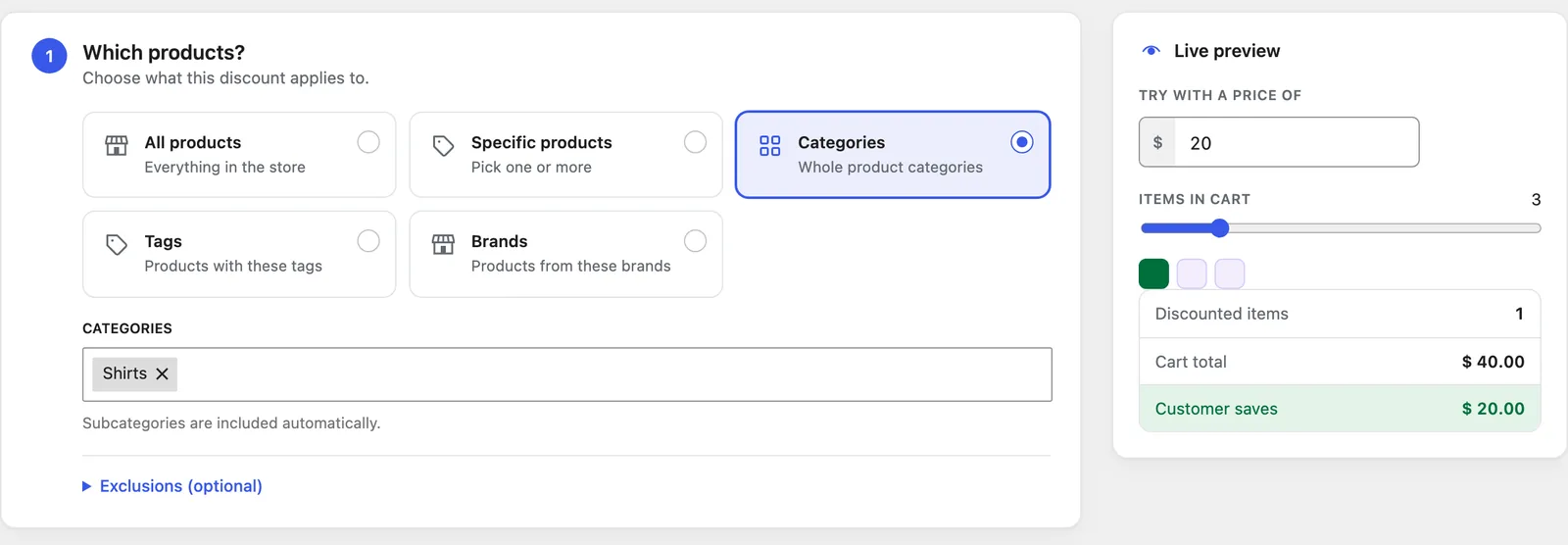
- Under Which products?, pick Categories and choose Shirts. Use Specific products instead if the deal is for one product.
Step 2: Set the deal
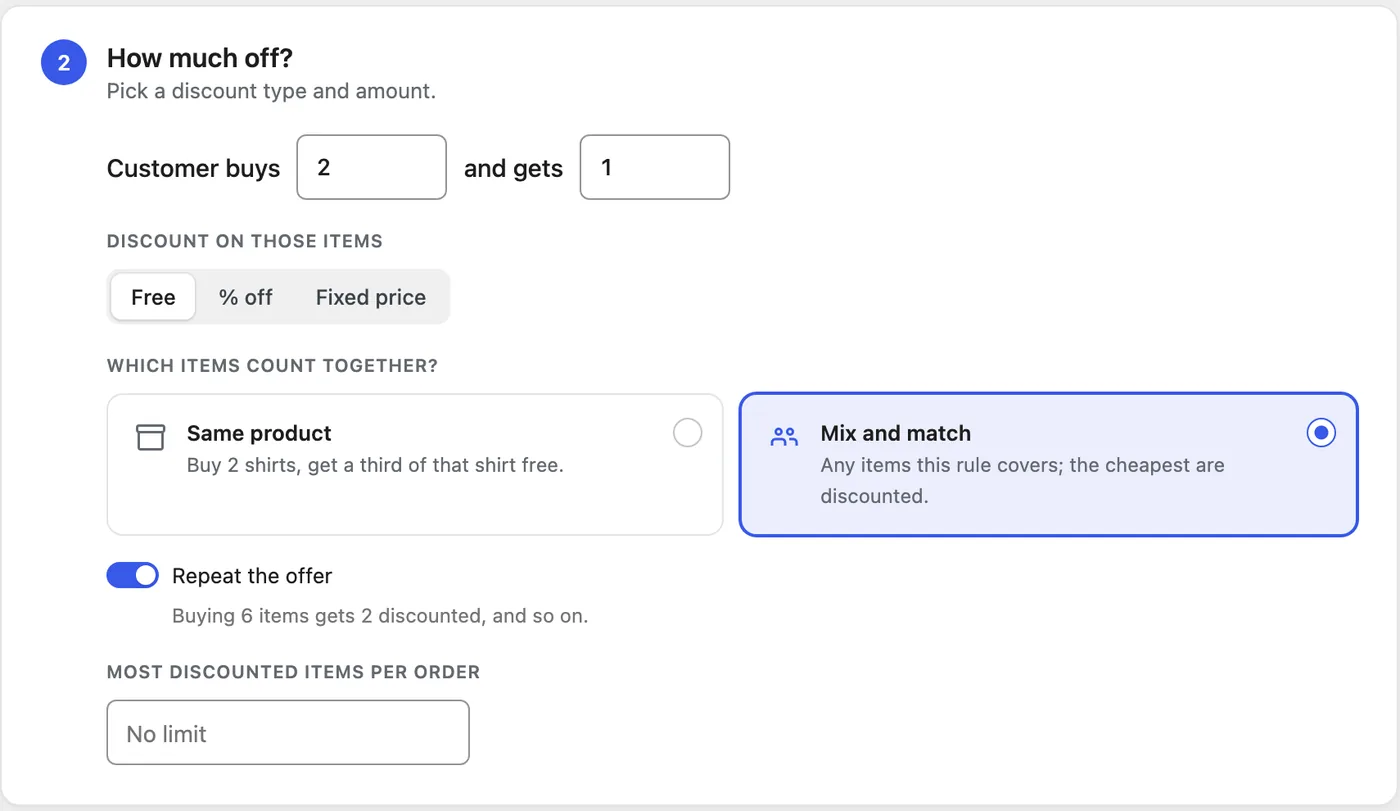
- Set Customer buys to 2 and and gets to 1.
- Under Discount on those items, choose Free. Choose % off for deals like “second item half price”, or Fixed price for “add a second one for $5”.
- Choose which items count together. Same product means two of the same shirt earn a third of that shirt. Mix and match lets shoppers combine any shirts in the category, and the cheapest ones are discounted.
- Leave Repeat the offer on so 6 shirts get 2 free, or turn it off to give the deal once per order. You can also cap how many items are discounted per order.
Save the rule and it’s live. Under Who and when? you can add an end date for a weekend sale, or limit the deal to certain customers.
Step 3: Check it in the cart
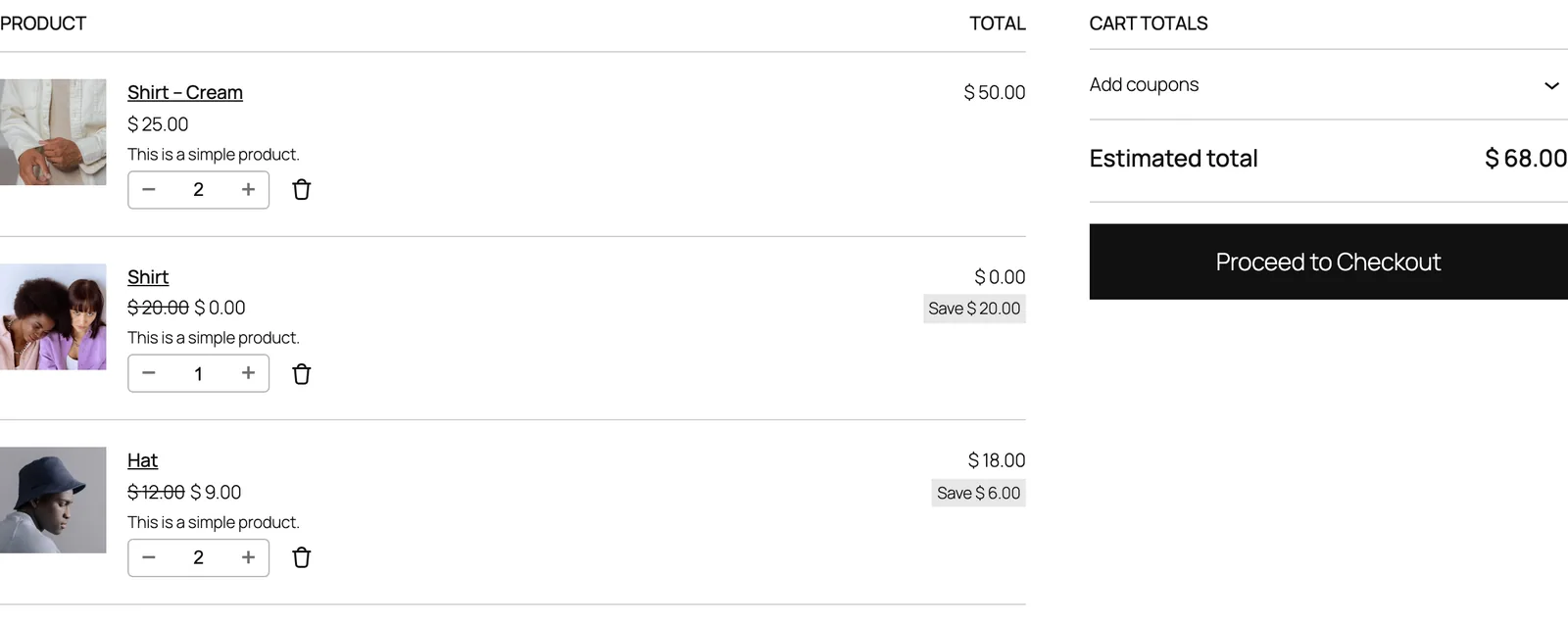
Add three shirts to your cart. In the example above, two cream shirts cost $25 each and the cheaper $20 shirt drops to $0.00, with the saving shown on the line. Mix and match always discounts the cheapest items, so you never give away your most expensive product.
The hat rule is a Same product deal: buy 1, get 1 at 50% off. With two hats in the cart, one is $12 and one is $6. WooCommerce shows a single price per line, so the line shows $9.00 each and a total of $18.00, which is exactly right.

Common BOGO deals and how to set them
| Deal | Buys | Gets | Discount | Items count |
|---|---|---|---|---|
| Buy one, get one free | 1 | 1 | Free | Same product |
| Buy 2, get 1 free | 2 | 1 | Free | Same product or mix and match |
| Second item half price | 1 | 1 | 50% off | Same product |
| Buy 3, get the cheapest free | 3 | 1 | Free | Mix and match |
| Add a second for $5 | 1 | 1 | Fixed price $5 | Same product |
Want to give away a different product, such as a free tote bag with any order over $75? That’s a free gift rule, which adds the gift to the cart for the shopper.
Questions
- Do shoppers need a coupon code? No. The discount is applied as soon as the cart qualifies, and it disappears if they remove items.
- Does it work with the Cart and Checkout blocks? Yes. The screenshots above are the WooCommerce Cart block.
- Can it run alongside other sales? Yes. When two rules match the same item, the shopper gets the better price, and Pro can stack rules if you prefer.
Every setting is explained in the Buy X get Y docs. For quantity discounts that don’t need Pro, see tiered pricing and bulk discounts.