Pro feature. Requires Kayce Discount Rules Pro. See Free vs Pro.
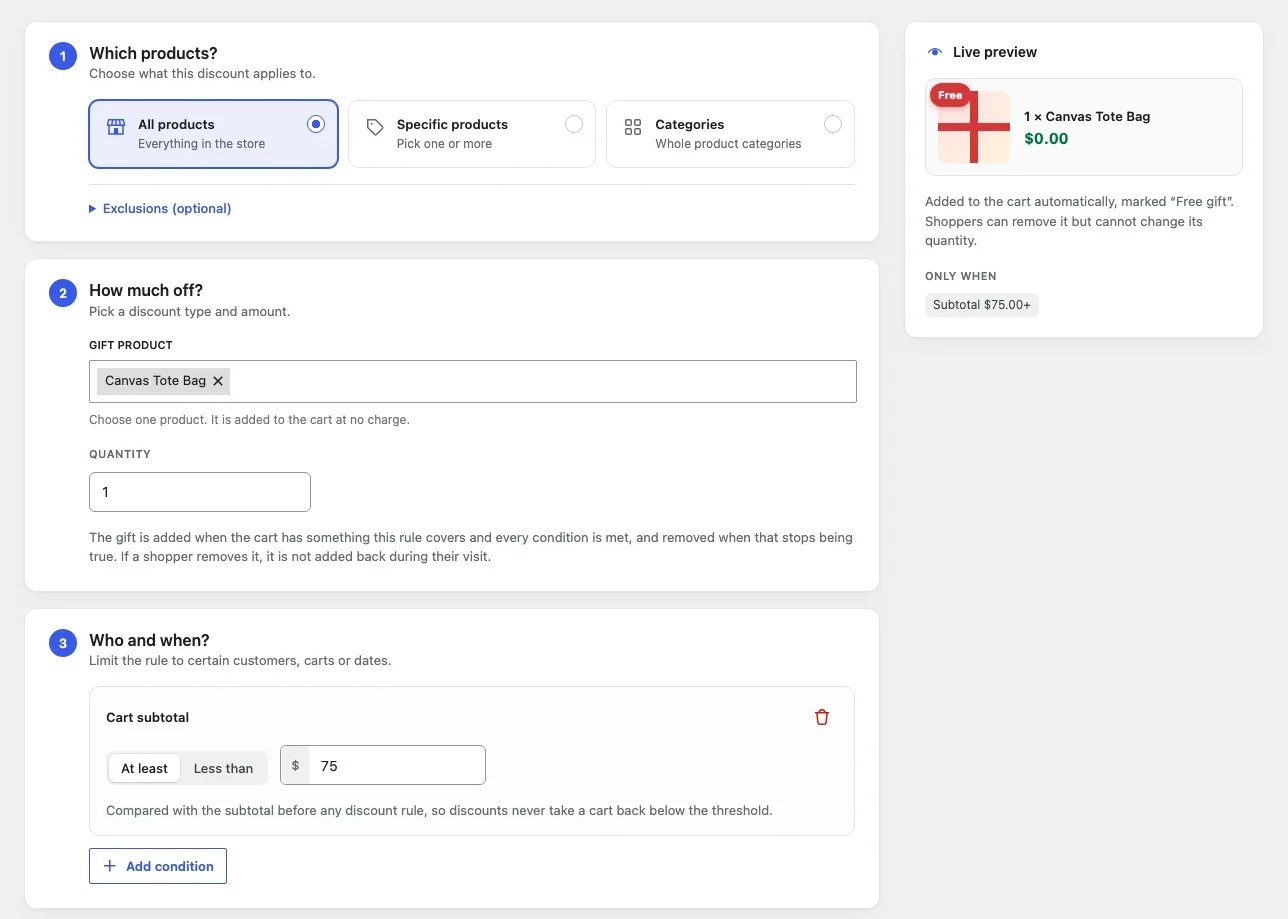
Settings
- Gift product: the product to give away. Variations can be chosen too.
- Quantity: how many to add.
When the gift is added
The gift is added when the cart contains something the rule covers (step 1) and every condition holds (step 3), for example a cart subtotal of at least $75. It is removed again when that stops being true.
In the cart
- The gift line costs $0.00 and shows “Free gift: Added to your order”.
- Shoppers can’t change its quantity.
- Shoppers can remove it. It then isn’t added back during their visit.
- Gifts don’t count towards cart subtotal or item count conditions, and other rules never discount them.
- Orders mark the line as a gift.
Stock: A gift that is out of stock or can’t be bought isn’t added. Keep an eye on the gift product’s stock.
Tip: With no conditions and “All products”, every order gets the gift. The editor warns you in that case.